Technology Advice for Small Businesses

powered by Pronto Marketing

Overheating laptop? Here’s how to prevent it

If you own a laptop, chances are you’ve noticed how hot it can get. You might not know it, but your laptop may already be overheating, which will lead to decreased efficiency and a shorter lifespan. Here’s how to protect your laptop from further damage due to overheating. Causes of overheating Laptops create heat during… Continue reading Overheating laptop? Here’s how to prevent it

How to prevent your laptop from overheating
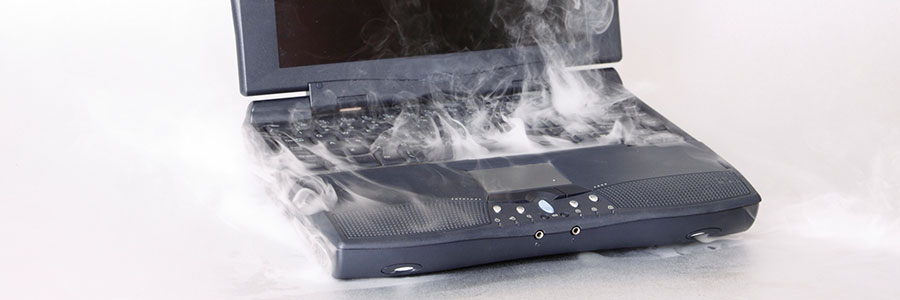
Laptops may be more affordable than ever, but we’re also using them for more advanced tasks than ever. This means you run the risk of overheating your laptop and causing long-term damage. Here’s how to avoid that. Causes of overheating Laptops create heat during their normal operation. That’s why they’re designed with internal fans that… Continue reading How to prevent your laptop from overheating


Setting up your G Suite activity dashboard

G Suite users can finally see which of their colleagues viewed a document on the new activity dashboard, along with a time and date. It functions as an added collaboration tool in Google Slides, Docs, and Sheets showing every file comment, change, or suggested edit. Here are two ways to properly configure it. Allow display… Continue reading Setting up your G Suite activity dashboard

How to set up your G Suite activity dashboard

Last March 2018, Google updated G Suite by adding a new activity dashboard to Slides, Docs, and Sheets. It allows you to see the accounts that viewed a certain document and when they opened it, allowing you track individual contributions to a group project. Here are two ways to set it up. Allow display views… Continue reading How to set up your G Suite activity dashboard

Configuring your G Suite activity dashboard

G Suite offers a smooth way to collaborate effectively and efficiently with your team. And with the addition of the activity dashboard in Google Slides, Docs, and Sheets, you will have complete access to viewers’ details, including their name and time they viewed a document. Here are two tips to properly set it up. Allow… Continue reading Configuring your G Suite activity dashboard

Outlook tips to increase productivity

Microsoft is constantly updating and improving its Outlook email program, and some users struggle to keep up with all the new and exciting features. If you want to catch up on the latest productivity-enhancing tricks, this is the article for you. Clean Up your inbox No matter inbox how meticulously organized your Outlook inbox is,… Continue reading Outlook tips to increase productivity

Tricks to make you work smarter in Outlook

Email users are always looking for a better way to organize their inboxes, personalize their email signatures, or streamline group communication. Fortunately, these features already exist for Outlook users. You just need to know where to look. Clean Up your inbox No matter inbox how meticulously organized your Outlook inbox is, there’s always room for… Continue reading Tricks to make you work smarter in Outlook

Tips for using Outlook more efficiently

Outlook is arguably the best tool that businesses use to manage their email, set up meetings, and coordinate projects. It’s much more than a basic email program and includes features that help you organize your work, contacts, and business communications. Let’s take a look at a few tips you may have missed. Clean Up your… Continue reading Tips for using Outlook more efficiently

Small-business IT hardware checklist

It’s frustrating to return to the office after a long holiday only to be greeted by a disorganized workstation. If having clean, hassle-free technology is one of your company’s New Year’s resolutions, this technology hardware checklist can help. ✓ Clean up your computer components Wipe your monitor with a clean, static-free fabric; remove excess dirt… Continue reading Small-business IT hardware checklist

Manage your IT hardware better in the New Year

The new year doesn’t have to mean new IT hardware problems. Sure, some headaches are unavoidable, but you can start the year right by giving your computer hardware a little TLC. Let our handy hardware checklist be your guide. ✓ Clean up your computer components Wipe your monitor with a clean, static-free fabric; remove excess… Continue reading Manage your IT hardware better in the New Year