Technology Advice for Small Businesses

powered by Pronto Marketing

Cutting IT hardware costs with thin and zero clients

If you want to cut costs on IT hardware, don’t settle for cheap but old or low-quality machines. They’ll offer subpar performance, which will hurt your team’s productivity. What’s worse, they’ll break down often, too, which means the money you initially saved will go to repairs and upgrades. Instead of buying low-end machines, you should… Continue reading Cutting IT hardware costs with thin and zero clients

Cut your IT costs by investing in thin and zero clients

Cutting costs is great for business, but only if doing so does not reduce the quality of your company’s products or services. You can achieve this kind of compromise in your IT system, too. Instead of investing in expensive computer hardware, you can opt for affordable but powerful thin and zero clients. What are thin… Continue reading Cut your IT costs by investing in thin and zero clients

Try this tip to improve your home Wi-Fi

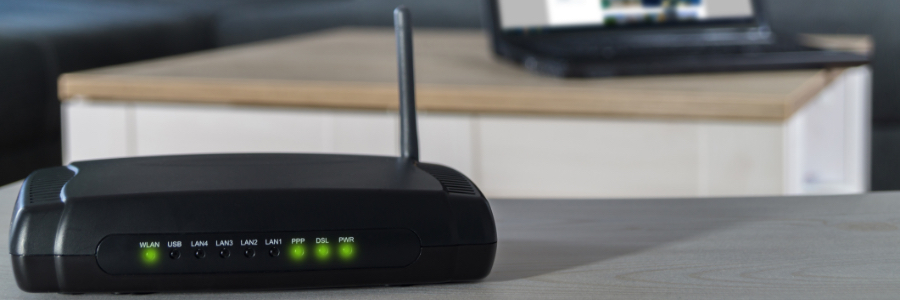
Home Wi-Fi connections are slower and less reliable than enterprise-grade ones. But now that more people have shifted to remote work, having a fast and stable wireless connection has become even more essential. To ensure you don’t suffer dropped Wi-Fi signals while you’re video conferencing or finishing up a report, invest in wireless repeaters and… Continue reading Try this tip to improve your home Wi-Fi

Simple tips to give your home Wi-Fi a boost

More people are working from home these days, which means a fast, reliable Wi-Fi connection is vital. If all the home Wi-Fi boosting tips you’ve seen on the internet have been to no avail, it’s probably time to take a look at the hardware you’re using. You might need wireless repeaters and additional access points.… Continue reading Simple tips to give your home Wi-Fi a boost

Optimize your Wi-Fi with wireless repeaters and access points

Fast, reliable Wi-Fi is a business necessity, whether you’re working in an office or at home. Now that more people are working remotely, having an optimal Wi-Fi connection is more important than ever. A wireless repeater device and additional access points may just be what you need to ensure a stable and lightning-fast wireless connection… Continue reading Optimize your Wi-Fi with wireless repeaters and access points

Cleaning tips for your work computers and mobile devices

Allowing work PCs and mobile devices to accumulate dirt can lead to glitches and hardware failures, both of which can affect productivity. To avoid these issues, you must properly maintain your work devices. Here are a few tips to keep them clean. Desktop monitors You spend several hours looking at your computer monitor, so it’s… Continue reading Cleaning tips for your work computers and mobile devices

A handy guide to keeping computers and mobile devices clean

Keeping work PCs and mobile devices clean not only encourages people to be more organized, but it also prevents glitches and downtime due to poorly maintained hardware. It also contributes to immaculate workspaces, which may positively affect employee morale. If you want your workstations and devices to look spick and span, here’s how to get… Continue reading A handy guide to keeping computers and mobile devices clean

Here’s how to tidy up your workstations

A tidy workstation helps employees be more productive. Cleanliness also contributes to better employee health, safety, and office hardware maintenance. Keep your computers and mobile devices dirt- and dust-free with these tips. Desktop monitors You spend several hours looking at your computer monitor, so it’s important to make sure it doesn’t have any dust or… Continue reading Here’s how to tidy up your workstations

5 Wi-Fi issues and how to fix them

It’s difficult for businesses these days to operate without a good Wi-Fi connection. Having a fast, secure, and reliable connection enables quick response times and customer satisfaction. But what if your Wi-Fi refuses to work? Let’s take a look at five common Wi-Fi issues and how you can easily resolve them. Range constraints Wi-Fi works… Continue reading 5 Wi-Fi issues and how to fix them

Rectify these 5 Wi-Fi issues with ease

Your business has spent a lot on Wi-Fi routers so your employees can collaborate instantaneously and access files seamlessly without your connection faltering. But when your Wi-Fi starts acting up, resist the temptation to smash your router. Instead, try these simple troubleshooting techniques. Range constraints Wi-Fi works via radio waves that are typically broadcast from… Continue reading Rectify these 5 Wi-Fi issues with ease